OmniSearch installed! You're all set. Press Ctrl + Shift + F to start searching
Free & Open Source Chrome Extension

Find Any Tab
Instantly

Search across all tabs, bookmarks, history, and even page content with a single shortcut. Stop hunting — start finding.

Open anywhere with Ctrl + Shift + F
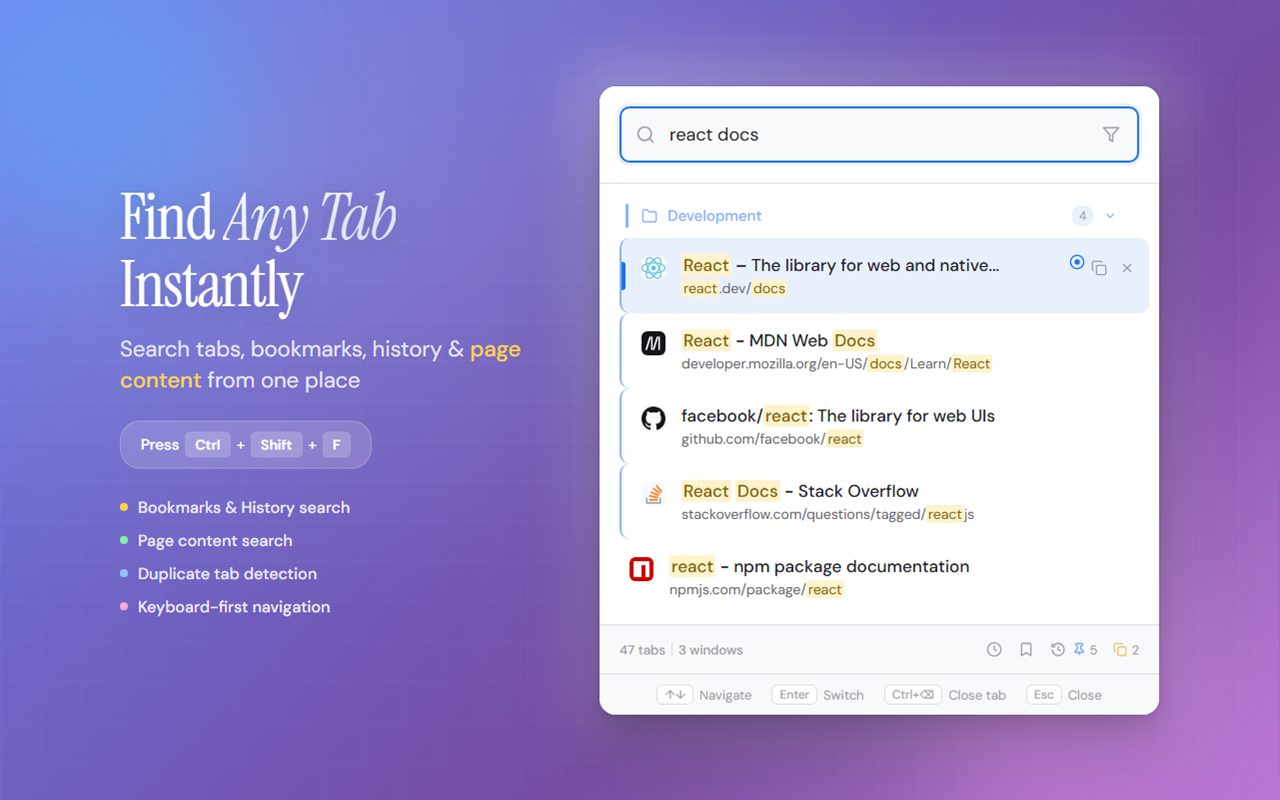
OmniSearch - unified tab search interface showing search results across tabs, bookmarks and history

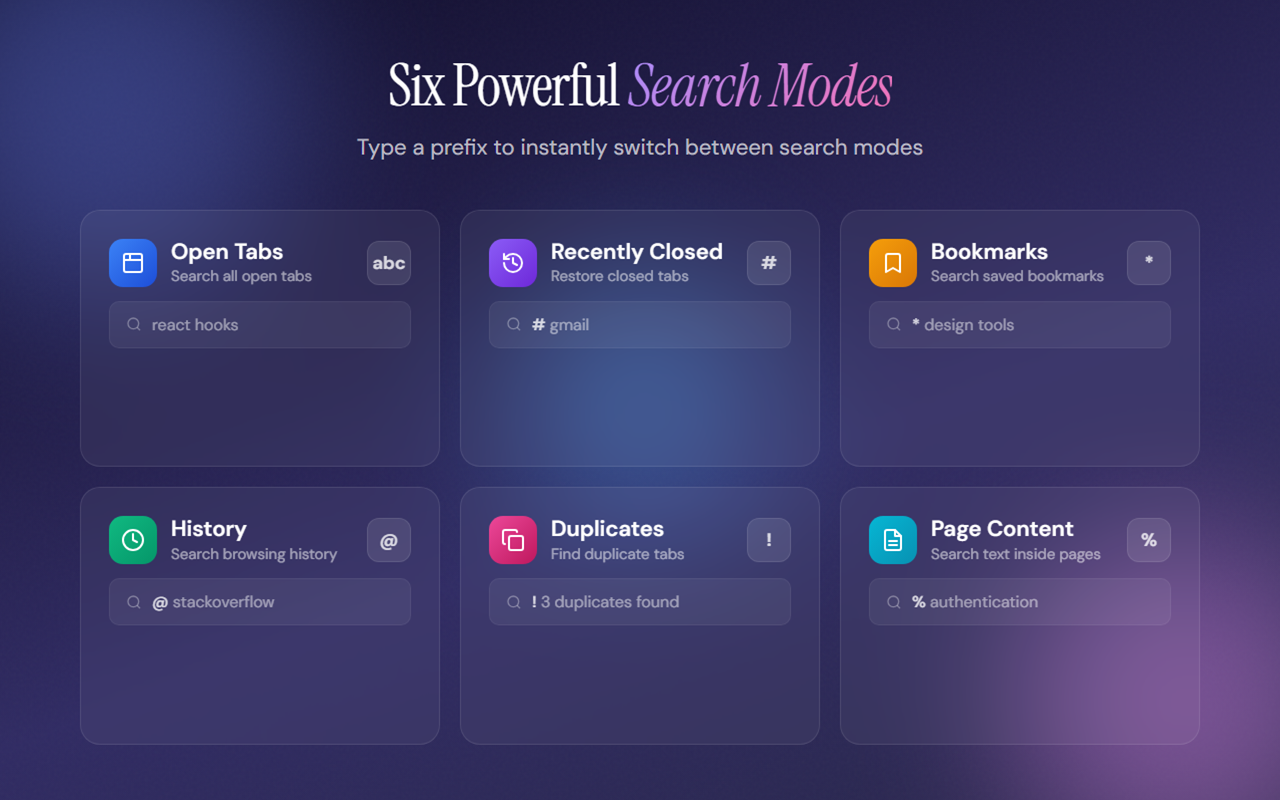
Six Powerful Ways to Search

Type a single prefix character to instantly switch between search modes. Each mode is tailored to find exactly what you need.

Open Tabs

Search all your open tabs across every window. Default mode — just start typing.

#

Recently Closed

Find and restore tabs you've recently closed. Never lose a page again.

*

Bookmarks

Search your entire bookmark collection instantly. Organized and fast.

@

History

Dig through your browsing history. Find pages from days or weeks ago.

!

Duplicates

Detect and clean up duplicate tabs. Reclaim memory and reduce clutter.

%

Page Content

Search the actual text inside your open pages — not just titles and URLs.

Six powerful search modes in OmniSearch - Open Tabs, Recently Closed, Bookmarks, History, Duplicates, and Page Content

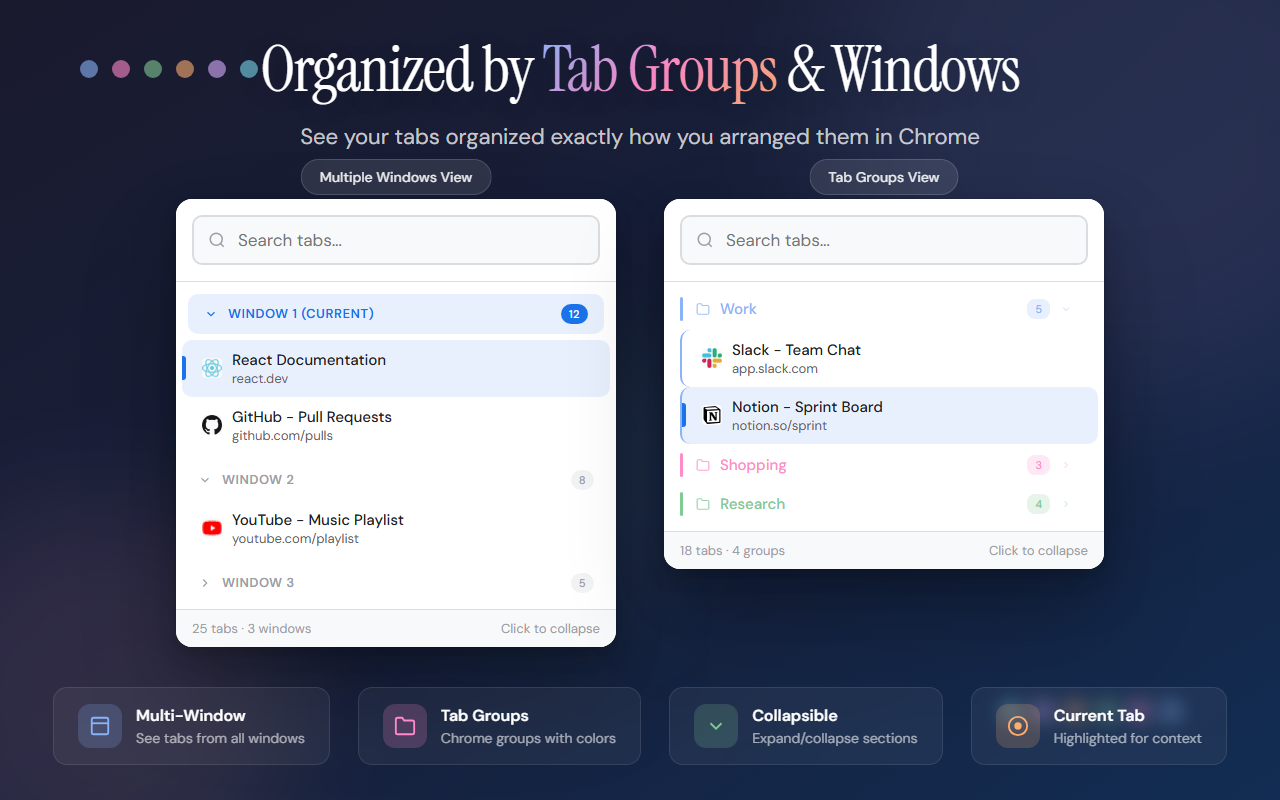
Organized by Tab Groups & Windows

See your tabs exactly how you arranged them in Chrome — grouped by windows, color-coded tab groups, and collapsible sections.

  • Multi-window support — search tabs from all windows
  • Chrome tab groups shown with their colors
  • Collapsible sections for clean browsing
  • Active tab highlighted in current window
Tab groups and multi-window view in OmniSearch

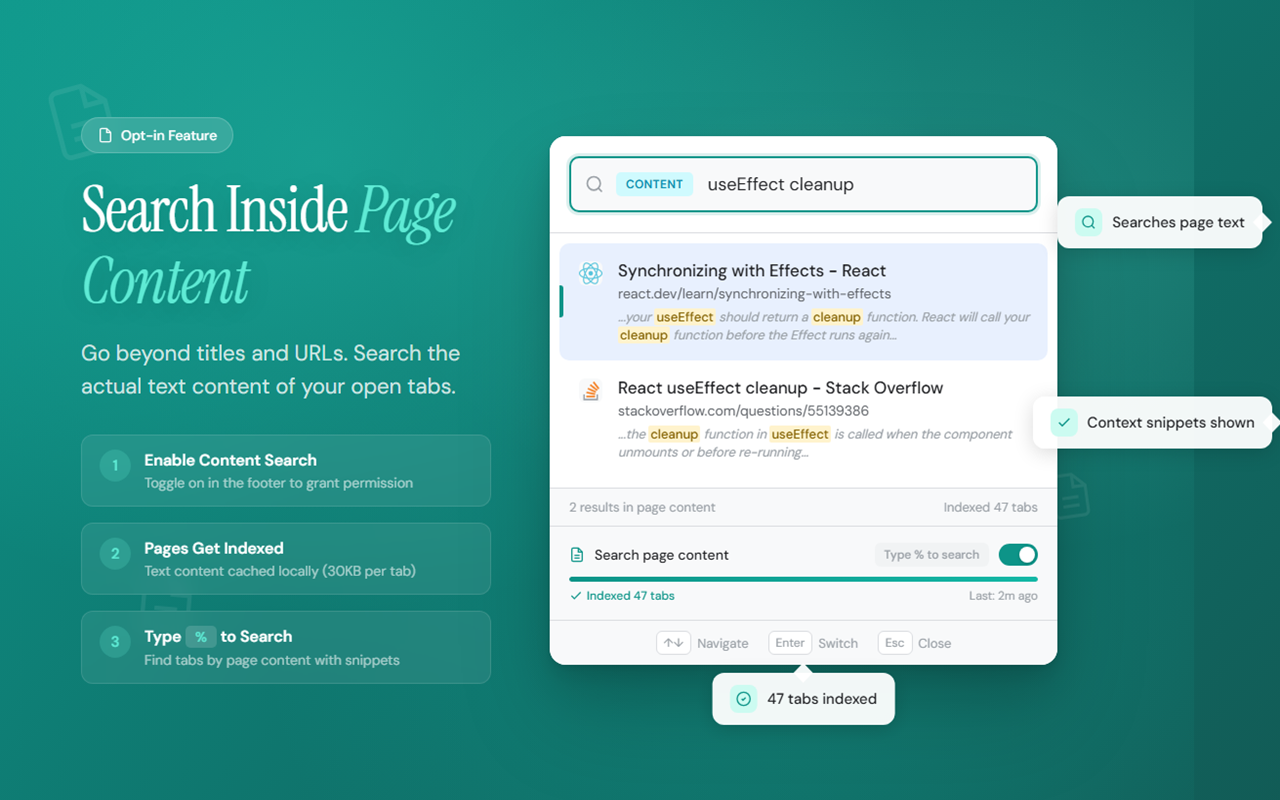
Search Inside Page Content

Go beyond titles and URLs. Search the actual text content of your open tabs — like having a search engine for your browser.

  • Opt-in feature — you control the permission
  • Indexed locally using IndexedDB — nothing sent externally
  • Shows context snippets around matches
  • Auto re-indexes when tabs update
Page content search feature showing text search results from open tabs

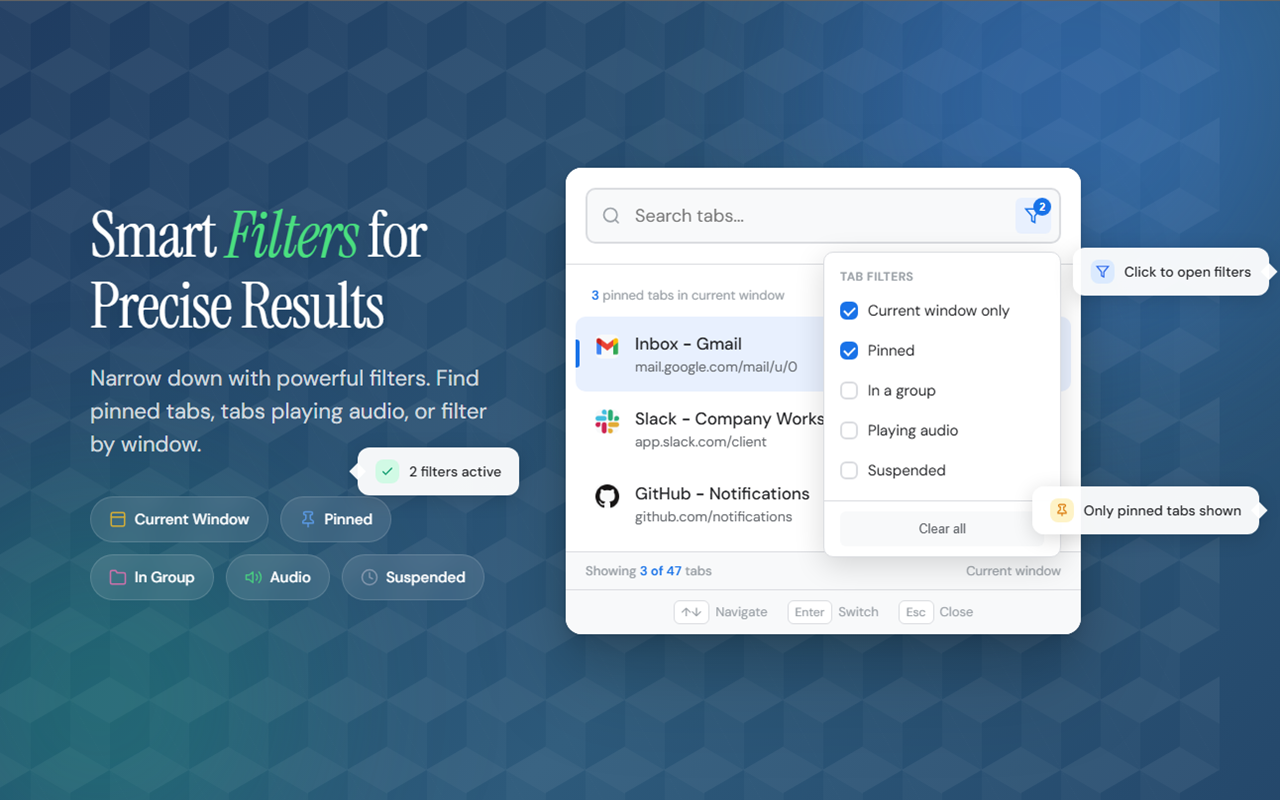
Smart Filters for Precise Results

Narrow down with powerful filters. Find pinned tabs, tabs playing audio, or filter by specific windows and groups.

  • Filter by current window, pinned, audio playing
  • Find tabs in specific groups
  • Detect suspended and frozen tabs
  • Combine multiple filters together
Smart filters in OmniSearch for precise tab filtering

Built for Speed

Navigate, switch, and manage tabs without ever touching your mouse. Every action has a keyboard shortcut.

Open OmniSearch
Ctrl + Shift + F
Navigate results
or Tab
Switch to tab
Enter
Close selected tab
Ctrl + Backspace
Copy tab URL
Ctrl + C
Close popup
Esc

Your Data Stays Yours

OmniSearch is designed with privacy at its core. No tracking, no analytics, no external servers. Everything runs locally in your browser.

100% Local

All search, indexing, and data stays on your machine. Zero external requests.

No Tracking

No analytics, no telemetry, no cookies. We don't know who you are — by design.

Minimal Permissions

Only requests what's needed. Content search is opt-in — you control every permission.

Ready to Find Any Tab Instantly?

Join thousands of users who've simplified their tab management. Free forever, no account needed.

Add to Chrome — It's Free